Jul 10, 20265 min read2 reads
Build a Second Brain with Obsidian + Claude Code
A practical guide to setting up and running an LLM-powered "second brain" — the compile-not-retrieve knowledge base pattern, the folder layout, and the four commands that turn a pile of clippings into a searchable, interlinked wiki.
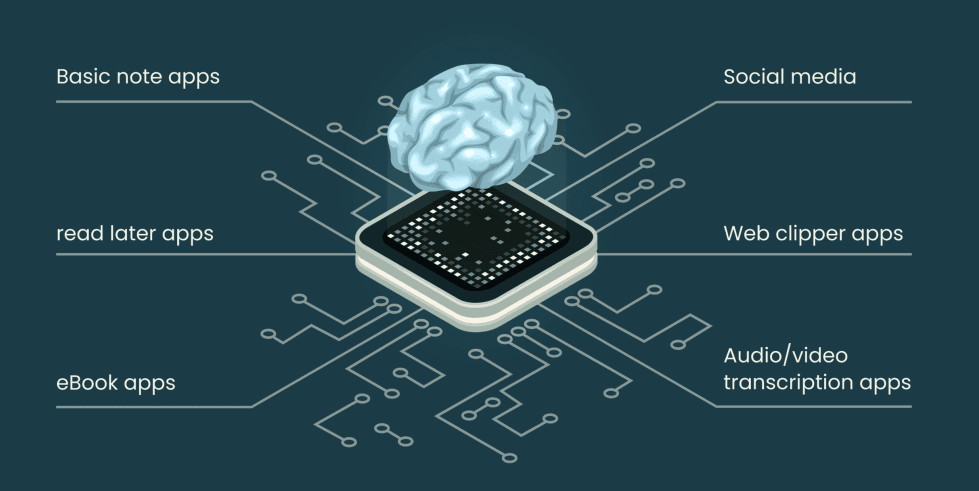
A personal knowledge base that gets smarter every time you feed it — built on Obsidian for the human view and Claude Code as the librarian that does the work.
Most note apps are a filing cabinet: you put things in, and later you dig them back out. The problem is the digging. The more you save, the harder search gets, and the notes never actually connect to each other.
This setup flips that. It follows Andrej Karpathy's LLM Wiki pattern, and its one core idea is:
Compile, not retrieve
You read a source once. An AI librarian reads it too, and compiles it into an interlinked wiki — writing summary pages, linking people and concepts, and merging new facts into pages that already exist. Later, when you have a question, the AI answers against the wiki (already-synthesized knowledge), not by re-scanning every raw file.
The payoff is compounding. Every source you add doesn't just sit there — it cross-links with everything already in the wiki. Knowledge accumulates like interest.
The 5-minute setup
- Install Obsidian — free for personal use. This is your window into the vault (graph view, backlinks, reading).
- Install the Claude Code CLI:
npm install -g @anthropic-ai/claude-code - Open the vault in both:
- Obsidian: Open folder as vault → pick the folder.
- Claude Code:
cdinto the folder and runclaude.
When Claude Code starts, it automatically reads the CLAUDE.md file in the folder. That file is the constitution — it defines exactly how the librarian behaves. No MCP servers or plugins required.
The folder structure
There are two halves, and the split is the whole trick.
raw/ — the human's inbox (read-only)
This is where you dump things. The AI only reads here — it never edits or deletes. Your originals are preserved forever, no matter how big the wiki grows.
raw/articles/— clipped articles, papers, docs. Point Obsidian Web Clipper here and they pile up automatically.raw/inbox/— quick notes and fleeting thoughts.
wiki/ — the AI's territory
Everything here is created and maintained by the AI. You generally don't hand-edit it.
wiki/sources/— one summary page per raw file (with a link back to the original for provenance).wiki/entities/— people, organizations, projects, tools, products.wiki/concepts/— theories, methods, terms, patterns. Most of the real knowledge lives here.wiki/me/— your own first-person knowledge, e.g.wiki/me/project/<name>/for things you build.wiki/index.md— the master index. The AI reads this first on every question.wiki/log.md— an append-only log of every operation.
The mental model:
raw/is the pile of books you've read.wiki/is the notebook of everything you learned from them, cross-referenced.
The four commands
Everything runs through four slash commands inside Claude Code.
| Command | What it does |
|---|---|
/wiki-ingest <path> | Read a raw/ source and compile it into the wiki. Omit the path to auto-find everything not yet ingested. |
/wiki-query <question> | Answer from the wiki — reads the index first, drills into the right pages, cites its sources. |
/wiki-lint | Health-check the wiki — orphan pages, dead links, contradictions, gaps. |
/process-inbox | Sweep raw/inbox/ quick notes and fold them into the right wiki pages. |
/wiki-ingest — turning a source into knowledge
The core operation. When you ingest a file, the librarian:
- Reads the whole source.
- Reports 3–5 key takeaways back to you.
- Writes a summary page in
wiki/sources/. - Creates or updates 5–15 related entity/concept pages (existing pages get merged into, not duplicated).
- Flags contradictions with earlier notes instead of silently overwriting them.
- Registers the new pages in the index and logs the run.
/wiki-query — asking your brain
Instead of full-text searching a thousand files, the AI reads the master index, follows [[wikilinks]] into the 3–4 relevant pages, and synthesizes an answer with citations. If something isn't in the wiki, it says so — no hallucinating.
/wiki-lint — keeping it healthy
A knowledge base rots if untended. Lint checks eight things: orphan pages, dead links, unresolved contradictions, stale claims, missing cross-references, concepts mentioned everywhere but lacking their own page, empty pages, and knowledge gaps worth filling.
/process-inbox — clearing quick notes
Jot a thought into raw/inbox/ whenever it strikes. Later, /process-inbox classifies each note and integrates it into the right page — leaving your original note untouched.
A typical workflow
1. Read something interesting  →  save it into raw/articles/
2. /wiki-ingest                →  it becomes interlinked wiki pages
3. ...repeat for weeks; knowledge compounds...
4. /wiki-query "what do I know about X?"  →  cited answer from your own brain
5. /wiki-lint every so often   →  keep the graph clean
Then open Obsidian's Graph View and watch the constellation of your knowledge light up — sources you ingested months apart quietly linking through a shared concept. That's the compounding, made visible.
Why this beats a normal notes app
- Search becomes synthesis. You get an answer, not a list of files to read.
- Sources are never lost.
raw/is immutable; the wiki is a derived layer you can always rebuild. - It gets better with volume. More sources → denser links → smarter answers. The opposite of search fatigue.
- You stay in control. The AI proposes and compiles; you review via Obsidian. Commit with
gitafter each ingest for a perfect undo history.
Getting started
Start small. Don't over-engineer folders on day one — a flat structure plus one index is plenty until you pass ~50 pages. Drop three articles into raw/articles/, run /wiki-ingest, ask a /wiki-query, and watch your second brain take its first breath.
Happy compiling. 🧠
- second-brain
- obsidian
- claude-code
- knowledge-management
- llm
- note-taking